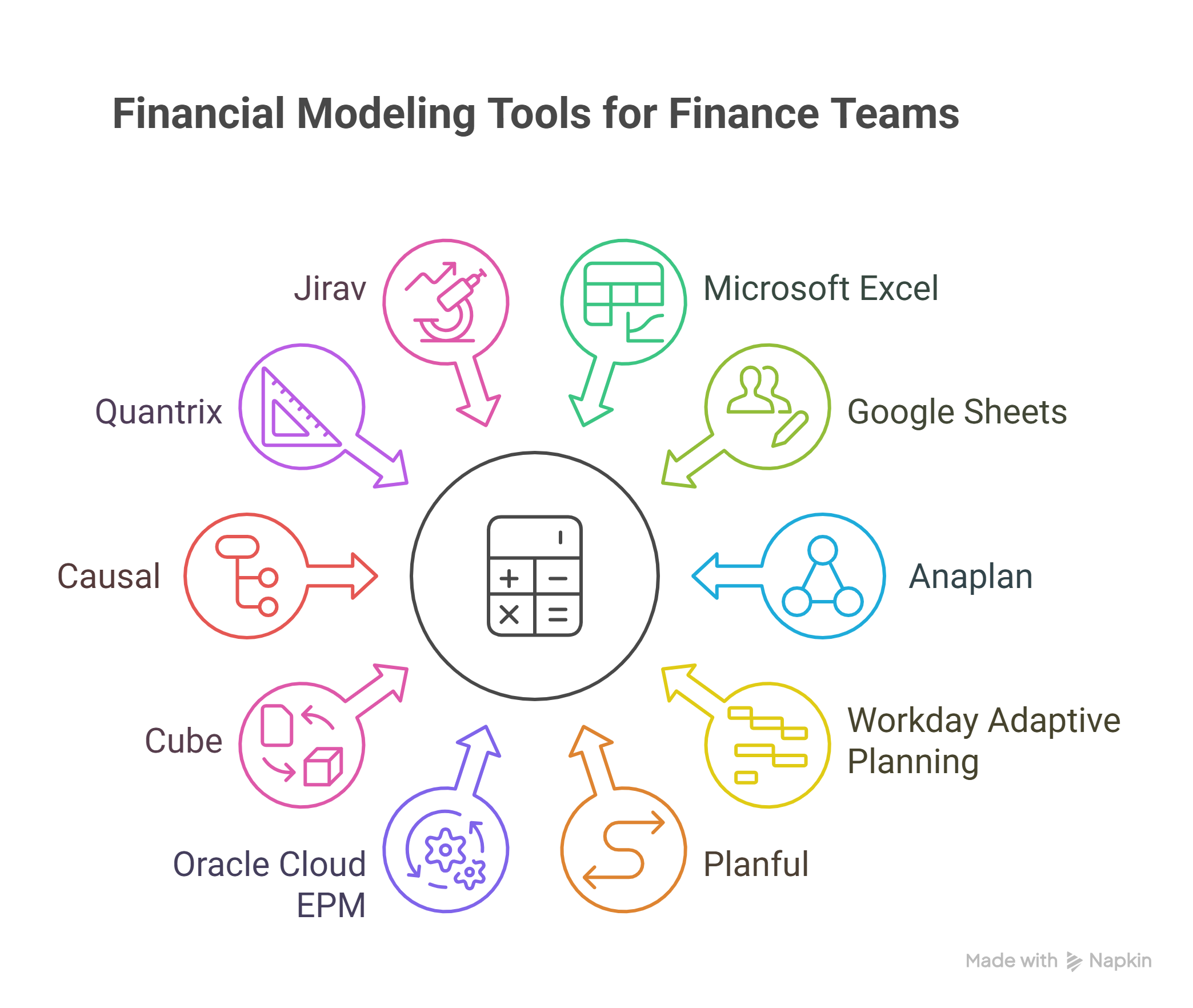
Top 10 Financial Modeling Tools for Finance Teams
Top 10 Financial Modeling Tools | Modern FP&A & Strategic Forecasting
Financial modeling is the cornerstone of FP&A Advisory, strategic decision-making, and valuation in the modern business world. It involves creating a structured representation of a company’s past, present, and projected financial performance, typically in the form of a 3-statement model (Income Statement, Balance Sheet, and Cash Flow Statement) built upon historical performance data and key core drivers (like revenue growth, headcount costs, and operational expenses). The financial modeling tools have evolved from basic user-created spreadsheets to sophisticated financial modeling software that integrates with enterprise resource planning (ERP) systems like Microsoft Dynamics 365 Finance.
This evolution enables better financial consolidation, faster scenario analysis and scenario planning, and real-time insights presented in real-time dashboards. Here is a listicle of the top 10 financial modeling tools, spanning from the traditional spreadsheet workhorse to modern cloud-based platforms, offering a comprehensive comparison to help finance teams choose the best solution for their needs.
The Top 10 Financial Modeling Tools
1. Microsoft Excel
Microsoft Excel remains the most ubiquitous and flexible tool for Financial Modeling. It is the gold standard used by analysts, investment bankers (e.g., for building a merger model or discounted cash flow (DCF) model), and corporate finance teams globally.
| Key Features | Pros | Cons |
| Universal acceptance; complete customization usingcell references, functions (likeIFERROR Function, NPV, IRR, SUM), andcolor codingconventions; support for all financial model types. | Flexibilityis unmatched;low initial costbarrier; virtually universal knowledge base; excellent for complex, bespoke models. | Prone to human error; lacks built-in version control and automatedcollaboration features; difficult for large-scalefinancial consolidation; performance issues with extremely large datasets. |
| Best For:Creating bespoke, highly granular financial models, especially forexternal financingtransactions or unique business structures. |
2. Google Sheets
As a direct cloud-based competitor to Microsoft Excel, Google Sheets offers a viable, free alternative, especially favored by online SaaS business models and startups for its collaboration features.
| Key Features | Pros | Cons |
| Cloud-native, supportingreal-timemulti-user editing; integrates seamlessly with other Google Workspace tools; accessible on any device. | Exceptionalreal-time collaboration; automatic saving and version history; free for basic use; ideal for decentralized teams. | Less powerful for complex calculations and massive datasets compared to Excel; smaller feature set for advanced financial functions; potential security concerns for highly sensitive data compared to enterprise software. |
| Best For:Startups, small businesses, and teams that prioritizebusiness collaborationandreal-timeupdates in a cloud environment. |
3. Anaplan
Anaplan is a highly scalable, cloud-based platform for Connected Planning, offering robust multi-dimensional modeling capabilities crucial for large enterprises.
| Key Features | Pros | Cons |
| Driver-based planning; high scalability for complex, large-scale models; advancedscenario planningand what-if analysis; supports multi-entity and multi-currencyfinancial consolidation. | Excellent for enterprise-levelFP&A Advisory; strong governance and audit trails; connects planning across finance, sales, and operations (department leaders). | High total cost of ownership; steep learning curve; implementation can be lengthy and complex. |
| Best For:Large enterprises requiring connected, driver-based planning across multiple departments and complexscenario analysis. |
4. Workday Adaptive Planning (formerly Adaptive Insights)
A unified cloud planning platform that merges FP&A, reporting, and dashboarding, known for its user-friendly, Excel-like interface.
| Key Features | Pros | Cons |
| Excel-like interface but with centralized data; easy-to-usescenario analysisand rolling forecasts; strong integration with accounting and ERP systems. | Faster time to value than many competitors;collaborative budgetingand planning workflows; self-service reporting. | Can be less flexible for highly bespoke, complex models than pure Excel; primarily geared toward FP&A rather than pure M&A or valuation modeling. |
| Best For:Finance teamsmigrating from basic spreadsheets who need a dedicated, user-friendly FP&A platform. |
5. Planful
Planful offers a continuous planning platform that unifies financial forecasting, budgeting, and reporting into one cloud-based system.
| Key Features | Pros | Cons |
| Continuous planning and rolling forecast capabilities; centralized data management; robust reporting and visualization tools forreal-time dashboards. | Eliminates many of the manual data aggregation tasks associated with spreadsheets; strong support forcollaborative budgetingand planning. | May require professional services for full implementation; some users report performance issues when dealing with extremely large datasets. |
| Best For:Businesses focused on improving budgeting accuracy and transitioning to a continuous, agile planning process. |
6. Oracle Cloud EPM (Enterprise Performance Management)
A powerful suite of tools for budgeting, planning, and forecasting, often a natural choice for companies already using Oracle Cloud EPM or other Oracle products.
| Key Features | Pros | Cons |
| Robust features for enterprise-levelfinancial consolidation; strong integration within the Oracle ecosystem; support formulti-dimensional modeling. | Best-in-class for businesses with complex legal structures and multi-geography operations; built-in compliance and governance features. | Very high cost; complex setup and maintenance; requires specialized expertise, often resulting in a long implementation time. |
| Best For:Large, multinational corporations deeply embedded in the Oracle technology stack. |
7. Cube
Cube is specifically designed to bring the power of dedicated FP&A software to users who love and rely on Excel/Sheets. It acts as a central data layer that lives inside your spreadsheet.
| Key Features | Pros | Cons |
| Native Excel/Google Sheets connectivity; centralizes data from multiple sources; automatic refresh forreal-timedata; built-in version control. | Allowsfinance teamsto continue working in the familiar Excel environment while solving the inherent problems ofuser-created spreadsheets. | Still relies heavily on the user’s spreadsheet skills; less capable of complex, non-financial modeling compared to a full-blown platform. |
| Best For:Finance teamswho want to centralize their data and improve collaboration without giving up the Excel/Sheets interface. |
8. Causal
A newer, visual, cloud-based financial modeling software that aims to replace spreadsheets with a user-friendly, formula-free environment.
| Key Features | Pros | Cons |
| Visual, drag-and-drop modeling interface; focus on plain-language drivers; beautiful data visualization & reporting; built forscenario planning. | Extremely easy to use and understand for non-financialdepartment leaders; excellent for communicating financial models to stakeholders. | Less flexible for very specific, complex financial calculations (e.g., custom debt schedules or highly complexmerger modelmechanics); less mature than enterprise competitors. |
| Best For:High-growth startups and small businesses prioritizing fast, intuitivescenario analysisand stakeholder communication. |
9. Quantrix
Quantrix offers a multi-dimensional modeling platform that separates data, formulas, and logic, aiming to eliminate formula errors common in traditional spreadsheets.
| Key Features | Pros | Cons |
| Multi-dimensional modelingwithout the need for complex cell references; separates logic from presentation; strongersecurity mechanismsand audit trails. | Significantly reduces formula errors and maintenance effort compared to Excel; excellent for complexdimension managementand large-scale models. | Not as widely adopted as Excel, meaning a smaller talent pool; steeper learning curve than simple spreadsheet tools. |
| Best For:Mid-to-large organizations building highly complex,multi-dimensionalmodels where accuracy and structure are paramount. |
10. Jirav
An all-in-one cloud FP&A Advisory tool specifically for startups and growing companies, offering strong financial forecasting and reporting.
| Key Features | Pros | Cons |
| Integrates with common accounting software (e.g., QuickBooks, Xero); pre-built templates for3-statement modeland SaaS metrics; customizablereal-time dashboards. | Quick setup and implementation for smaller businesses; provides a good balance between power and simplicity for a growingfinance teams. | Scalability limits for the largest enterprises; fewer customization options for highly unique modeling requirements compared to Anaplan or Excel. |
| Best For:Startups and smaller businesses needing rapid implementation and integratedfinancial forecastingand planning. |
Frequently Asked Questions
Why is Microsoft Excel still considered the top financial modeling tool?
Microsoft Excel is considered the top tool due to its unparalleled flexibility, allowing analysts to build highly customized and complex models (merger model, discounted cash flow model) using basic financial modeling fundamentals like cell references without any software limitations.
What is the core problem with using only Excel for FP&A?
The core problem is the lack of governance and centralized data. Relying on user-created spreadsheets hinders real-time business collaboration, complicates automated financial consolidation, and makes it difficult for finance teams to perform rapid scenario analysis without introducing errors.
How do dedicated financial modeling tools handle the Balance Sheet?
Dedicated financial modeling software automatically integrates the Balance Sheet with the Income Statement and Cash Flow Statement (3-statement model) and centralizes the data. This ensures that the statements always tie and that financial forecasting and scenario planning adhere to accounting rules, which improves the accuracy compared to manual spreadsheet linking.
What does “core drivers” mean in financial modeling?
Core drivers are the non-financial or operational assumptions that dictate the outputs of the financial model. Examples include sales volume, pricing changes, headcount costs, or conversion rates from website visitors. Adjusting these drivers allows for effective scenario planning and shows the cause-and-effect relationship in the model.
How do these tools support real-time collaboration?
Cloud-based tools like Google Sheets and modern financial modeling software feature built-in collaboration features that allow multiple finance teams or department leaders to work on the model simultaneously. Data updates are instantaneous, eliminating version control issues and providing real-time dashboards for decision-making.
Conclusion
The choice of financial modeling tools hinges on your business needs. While Microsoft Excel remains unmatched for bespoke transactional analysis (like a merger model or discounted cash flow), dedicated cloud platforms (such as Anaplan or Cube) offer superior structure, governance, and real-time collaboration features essential for recurring enterprise functions like financial forecasting, scenario planning, and efficient financial close.Ready to move beyond basic user-created spreadsheets? We will help you make a robust, sophisticated financial model as per your requirements, ensuring accuracy for your scenario analysis and financial forecasting. Contact us today to explore our expert financial modeling services and take control of your company’s strategic future!